
Toniebox vs TIMIO vs Yoto — the hidden costs of screen-free listening
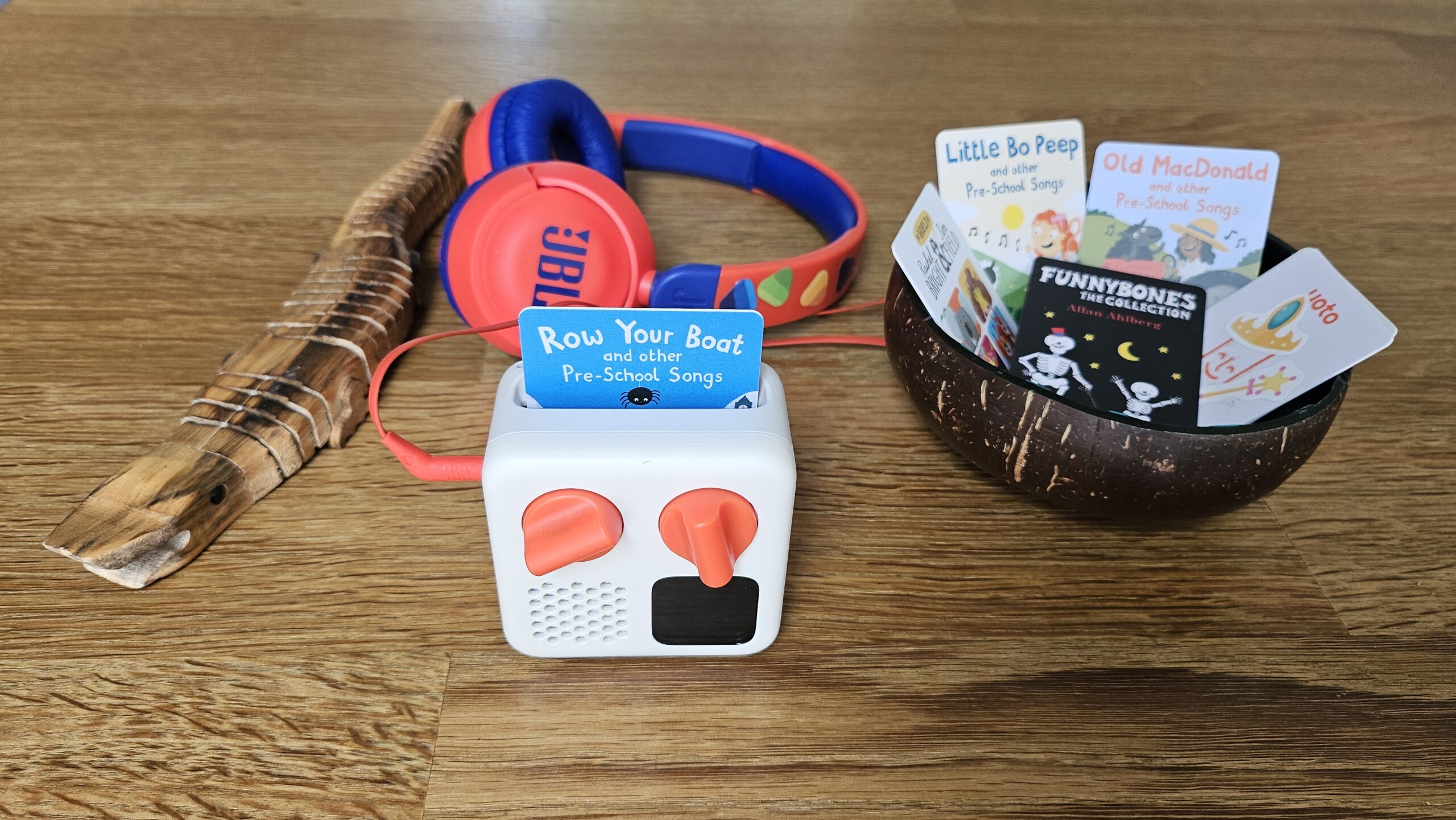
My quest for less screen time ended this week in a small sibling battle over a square box with orange buttons. Screen-free audio players like the Yoto Mini, Toniebox, and TIMIO are a huge hit right now. An honest look at hidden costs, the chaos of sharing, and how a simple offline card helps us escape the passive algorithm feed — and what Tonieplay means for your wallet when listening turns into play.
In short (~30 seconds)
- Price tag lies: budget two years of content, not just the device.
- Rough two-year totals: Toniebox ~€500–700 · Yoto ~€300–400 · TIMIO ~€180 (closed catalogue).
- Yoto + MYO: cheapest route for lots of home-made content; MYO costs time.
- Age split: our preschooler (4) prefers the Yoto; toddler (2) prefers the colourful buttons (TIMIO).
- Tonieplay: Toniebox 2 only; upgrade plus paid games on top of figures.
- Our pick: Yoto Mini for the oldest, then TIMIO for the youngest; full TIMIO test in the TIMIO review.
- Safety: no microphone on the Yoto Mini; offline after sync; MYO via app. Yoto Mini: Smart Charge + Smart Cable after the 2024 battery recall. See section below.
In this post
- Costs and comparison — Toniebox, Yoto, TIMIO and Tonieplay
- Our hands-on test — toddler, preschooler and MYO cards
- Is the Yoto safe? — bedroom, microphone and comparison with Toniebox and TIMIO
- Edge AI and the algorithm feed — offline listening vs streaming
- Is it worth the investment? — age, budget tip and our pick
When the postman brought the box, my two curious children ran towards the door: ‘Who is that, what is that, can I open it?!’ Of course you can open it. (Followed by the not entirely unexpected: with my own sharp knife? Haha, go on then.)
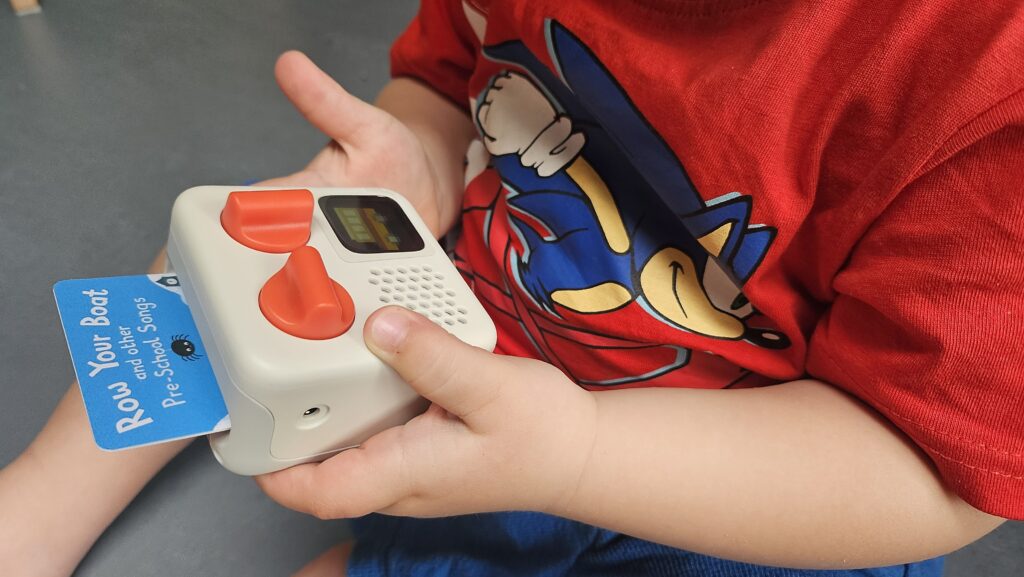
As soon as the little Yoto Mini was out of the box, a war instantly broke out over who got to hold it. And let me get straight to the point: on the very first day the Yoto Mini flew a metre across the room and bounced hard off the playroom bench onto the floor. Luckily I can tick off the ‘throw and yank test’ right away: it is robust and passed with flying colours!
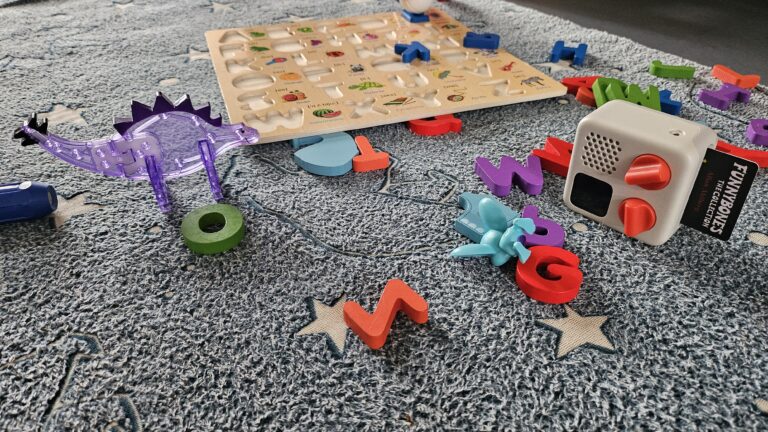
As a parent of a two- and four-year-old I am constantly looking for ways to reduce screen time at home without giving up the enrichment media can offer. I am not against screen time, but I am against zoning out in front of the TV for long stretches.
Screen-free audio players are the absolute hit of the moment. They are devices on which children can listen to stories and music independently and safely. Three names dominate the Dutch market right now: the Toniebox, the Yoto Player, and TIMIO. Meanwhile Tonies itself is shifting toward the Toniebox 2 and Tonieplay: not a fourth brand, but a changing field where listening is slowly moving toward audio-led gaming.
The Toniebox looks fantastic: a soft colourful cube and figures that spark enormous imagination. The Yoto, with its minimalist insert cards (think cassette tapes from back in the day, but more compact), looks somewhat duller at first glance but its library grows with your child over a longer period. TIMIO looks like any other fun toy: colourful pictures you press to conjure up sounds.
But before you fall for the cute designs or the low entry price of a bare device, we need to talk about the full picture. Screen-free is not the same as budget-friendly; that applies to audio players just as much as to smart toys without a screen.
What does the audio player cost? The hard numbers
| Device | Start-up costs | Content costs |
|---|---|---|
| Toniebox | €81 - €109.90 | €15 - €19.99 per figure or €12.99 for a Creative Tonie |
| Yoto Player | €69.99 (Mini) - €99.99 (Large) | €6.99 - €12.99 per card or €2.50 for a MYO card |
| TIMIO Player | €79.00 - €89.90 (incl. 5 discs) | €20 per 5 expansion discs |
Toniebox
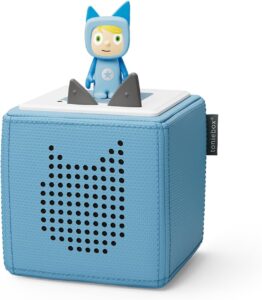
A Toniebox Starter Set including Creative Tonie in the Netherlands quickly costs between €139.95 (shipped from Germany). That sounds reasonable until you realise each individual figure (a Tonie) costs between €15 and €19.99. Especially if your child is a fan of well-known licences like Disney or Paw Patrol, that adds up fast. International calculations do not lie: build up a modest collection over two years and the whole Tonie ecosystem costs you hundreds of euros when you add it all up (estimated 500 to 700).
The first question that comes to mind is how many Tonies you need for a fun offering and enough variety. Bear in mind that one Tonie sometimes only provides 20 to 30 minutes of listening pleasure. With those cute little figures I can easily see them accidentally disappearing somewhere at the bottom of the toy drawer.
For the Toniebox there are roughly 42 Dutch-language stories or songs available. Most of those songs are for young children (like Juf Roos).
Tonieplay
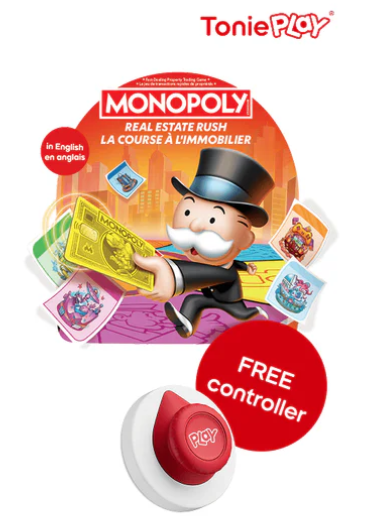
When I read in June 2026 that Tonies and Hasbro are bringing Monopoly, Guess Who? and The Game of Life to the Toniebox 2, I immediately thought about what that means for our home. My four-year-old loves playing long board games with me and is very interested (but does not yet have the motor skills) in the Switch 2 and laptop. A screen-free alternative that guides him through a game in short listening bursts? That sounds great for independent play. Until you look at the price tags.
Tonieplay is Tonies’ answer to gaming without a screen: you place a Tonieplay game on the Toniebox 2, lay the Tonieplay Controller on the box, and the device talks your child through quizzes, treasure hunts or interactive stories. No pixels, no ads. But one hard requirement: it works only on the Toniebox 2, not on the old Toniebox 1. If you already have a collection of figures and a first-generation box, upgrading quickly adds up to €109.99 for just the new box, or €139.99 for a set with controller and one game. The controller alone costs €12.99 (one is enough for all games). Each Tonieplay game: €19.99 to €24.99. With twelve titles at launch (PAW Patrol, Disney Quiz Kingdom, Lalalinos) and Hasbro games rolling out in phases from summer 2026, the business model looks suspiciously like the figures: cute, physical, and sold separately every time.
The hidden costs, in my view, come down to three things:
- Ecosystem lock-in: you stay within Tonies’ catalogue; no loading your own games like with a Creative Tonie or Yoto MYO card.
- Upgrade pressure: existing Tonies do work on the Toniebox 2, but Tonieplay games do not work on the Toniebox 1.
- Stacking content costs: each Tonieplay game costs €19.99 to €24.99 on top of your figures and any upgrade; the same buy-separately model as the Tonies themselves.
I do not have a Toniebox myself, but the direction is clear: Tonies is turning the Toniebox from listening cube into a closed play platform. For toddlers who mainly want to press big buttons, TIMIO stays interesting; for parents who want to make their own content, Yoto wins with those cheap MYO cards. Tonieplay? That is screen-free play with the price tag of a console ecosystem. For now I’d rather reach for the screen-based gaming systems.
Yoto Player
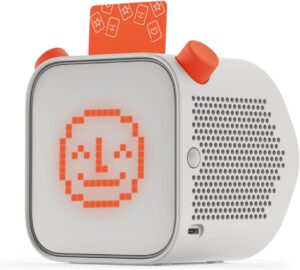
Looking at the Yoto Player, the large model costs €99.99 and the more compact Yoto Mini €69.99. The individual physical cards for the Yoto are considerably cheaper at prices between €6.99 and €12.99. Often there are multiple stories on one card, sometimes good for hours of listening pleasure. People have done the math on this too: over two years a Yoto Player comes to around 300 to 400 euros. But read below how we keep our Yoto Mini under €140. A quite significant difference for your wallet.
Unfortunately you cannot buy ready-made Dutch content for the Yoto, but in English you can buy an enormous amount of popular books.
TIMIO Player: the multilingual pick for young children
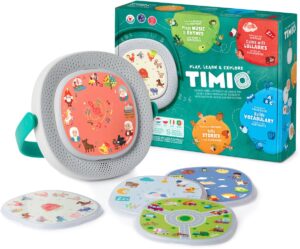
Besides the Toniebox and Yoto Player there is a third big name: the TIMIO Player. What makes the TIMIO immediately interesting is that it supports multiple languages out of the box, including Dutch and English. So you do not have to hunt for scarce Dutch audiobooks.
In terms of cost the TIMIO offers great value out of the box: a starter set costs between €79.00 and €89.90, and 5 discs are included. An expansion set of another 5 discs then costs around €20. If you want all five expansion sets, you’re looking at €179 in total. There are fun interactive quizzes on top. But here is a big limitation: with the TIMIO you are limited to the specific disc sets they release. In our TIMIO Player review you can read how that closed ecosystem works in practice for toddlers and preschoolers. You simply have no option to load your own stories or audio files. This makes it perfect for very young children, but after 2.5 it is no longer challenging enough.
Make your own Tonie or Yoto card
Where the real difference lies for me is the ‘Creative Tonie’ versus the ‘Make Your Own (MYO)’ Yoto card. For the Toniebox you can buy a blank figure for 13 euros on which you can place 90 minutes of audio yourself. A self-fillable Yoto card, however, costs only €2.50 (in a set of 10) and can contain 100 tracks and 500MB in total. With that you can literally fill hours!
The cheap way to create your own content for the Yoto Mini was the deciding factor for me. Our Yoto Mini stays under €140 with MYO. I already have a lot of audio content on my computer and can put Dutch fairy tales, their favourite songs, and other stories on the cards myself. I also chose the Yoto Mini because the format is really ideal to take along.
Besides the Make Your Own cards I also ordered a few English cards to see how they like them:
- the Winnie the Pooh audiobook (I got it cheap in a bundle with the Yoto Mini)
- the stories by Rachel Bright & Jim Field (both children really like the paper books)
- Funnybones (hilarious, my oldest is crazy about these books)
- Pre School Songs Pack (so the youngest can get started with the Yoto Mini right away before I have made my own cards)
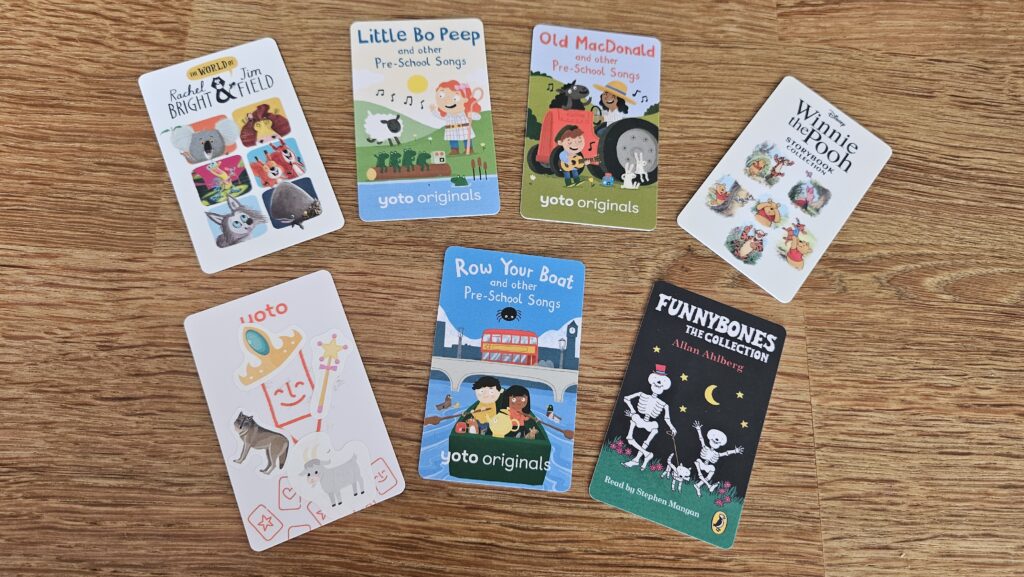
In the photo you also see the MYO card I made on the day I received the Yoto Mini. Still decorated with a few stickers from the children’s collection, but soon with a nice printed sticker on the front.
My toddler as mini DJ
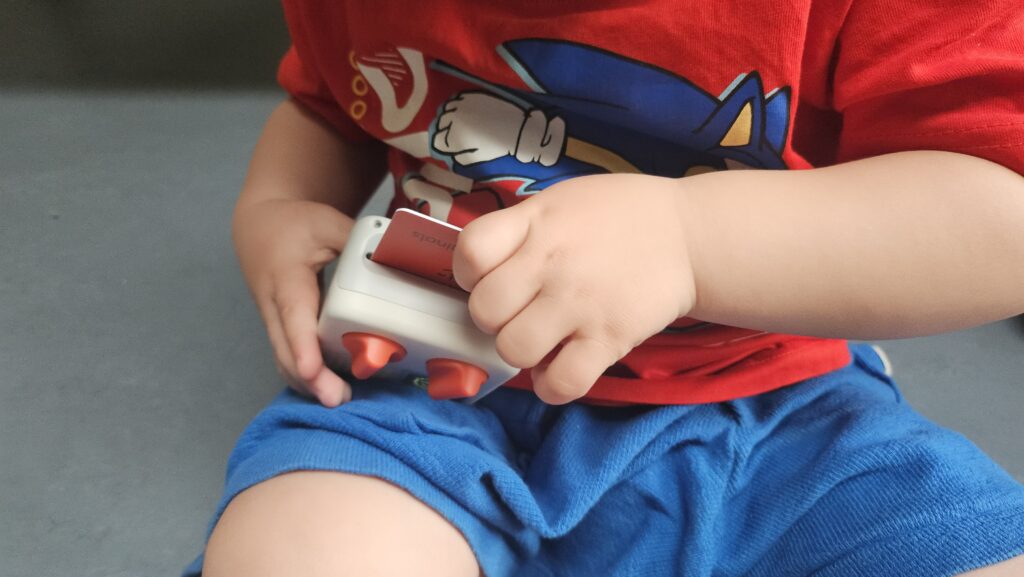
Before we could really start, a download arrow appeared on the little screen and I had to connect the Yoto Mini via wifi to the app on my phone to play content from a card. Note to self: always test this kind of thing yourself first, secretly in the evening hours, instead of with two bouncing, impatient spectators beside you.
Once the cards were playing, they went wild. The two-year-old tried fanatically to stuff two cards into the slot at once. When I explained that only one really fits, that was fortunately accepted. At first he often inserted them upside down, but the nice thing is: the player just reads them and starts playing immediately.
He also immediately became the DJ. He found it fantastic to keep pausing the Yoto with the on/off button, purely to listen endlessly to the pause-button sound. He doesn’t have the attention span yet to actually sit and listen to ‘his’ song cards, but he fights fanatically every day for his turn with the Yoto Mini.
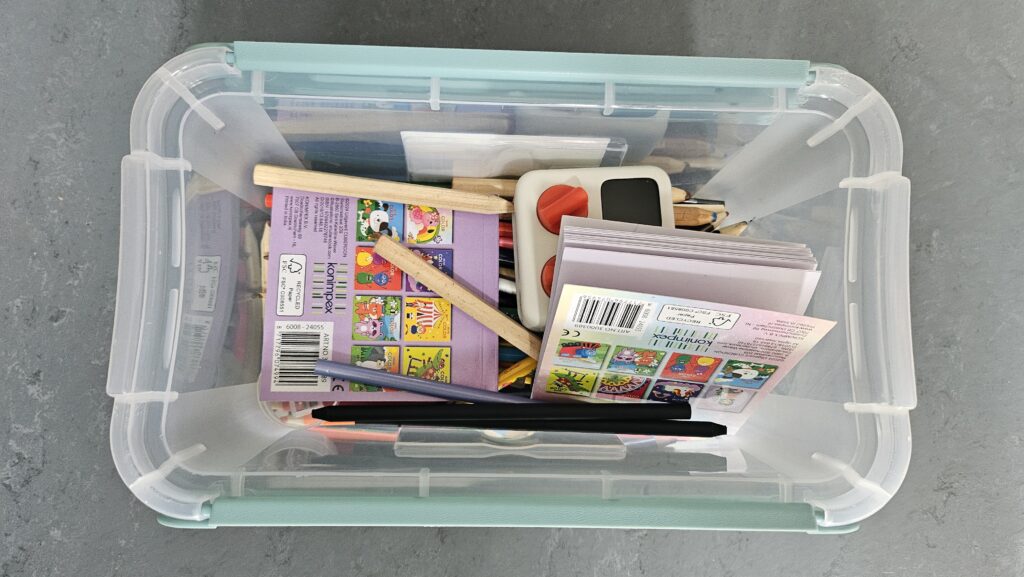
I even lost the Yoto for a few days at one point, when one of the children had put it away a bit too enthusiastically in the pencil box.
My preschooler takes charge
A four-year-old can of course do much more: he genuinely understands the consequences of his actions with the box and can achieve exactly what he wants.
With the Yoto you do this by scrolling through chapters with the orange buttons, while the little pixel screen shows a different icon each time. I had to show him once that after turning you also have to press the button to confirm your choice. After that he had the complete track selection down and immediately claimed ownership. The youngest can operate the tracks after brief instruction too, but seems to prefer just turning without a goal.
So far he is the most crazy about the MYO card with the Dutch Efteling fairy tales I made for him, and he loves listening to Funnybones in English. Soon, when the youngest is having his afternoon nap, I want to sit quietly on the sofa with the oldest while he listens. I am so curious whether he will be interested in translations of common words, or whether he much prefers sitting in his own listening bubble. So far he accepts both, but I can also imagine him retreating from his younger brother to listen in peace with his JBL headphones (with cable). This is a children’s headphone with volume limiter that we use on the plane.
How easy is it to make a MYO
Putting the raw audio on the card is really a breeze. My first own playlist was on the blank Yoto card that was included in the purchase of the Yoto Mini within a few seconds via the app. But… compiling that playlist with matching, perfectly fitting pictures for the pixel screen? Truth be told, it took a while, because I went and generated icons with AI myself. So prepare for a super fun but time-consuming project!
The icon library is quite large on its own. But how do I explain to my preschooler that both The Wolf and the Seven Goats and Little Red Riding Hood have a wolf as icon? That is confusing. So lacking a goat, a swan, a donkey and you name it, I will make those myself. All for that grin on their faces when a new cool picture appears and they immediately know which song or story starts.
Is the Yoto safe for kids? (vs Toniebox and TIMIO)
Many parents are not searching for hidden costs but for is this safe in the bedroom. After a month with the Yoto Mini and what I filled in for the bedroom check, my short answer is: yes, if you know Yoto’s battery measures (see below), with the caveat about wifi during setup.
Screen-free audio players already feel like a step back from tablets and smart speakers. No open internet, no endless recommendations. Still, you want to know what the device does measure or store. Below is how Yoto, Toniebox and TIMIO compare on the points that matter most at home. This is my estimate after hands-on use, not legal advice.
| Yoto Mini | Toniebox | TIMIO | |
|---|---|---|---|
| Microphone in the device | No | No | No |
| Camera | No | No | No |
| Screen | Pixel display, no video | None | None |
| Wifi needed for | Setup, card sync, updates | Setup, updates | Never |
| Content | Cards after sync; MYO via app | Tonies on the box | Offline (magnetic discs) |
| Account / app | Parent account for MYO | Tonies app (incl. Creative Tonie) | None |
None of the three listens in on the bedroom through a microphone in the box. If you want to record your own stories, you do that for Yoto and Toniebox through the app on your phone (MYO card or Creative Tonie), not through a mic built into the player.
Yoto Mini battery recall (2024)
In April 2024 Yoto ran a voluntary global recall for the Yoto Mini because the lithium-ion battery could overheat. Yoto addressed it with a firmware update (Smart Charge, adjusts charging speed) and a free Yoto Mini Smart Cable that supports safe charging. Smart Charge protection is built into the software from version v2.16.5 onwards.
What we do with the Yoto Mini
The first setup asked for wifi and the app on my phone. You may recognise that from the download-arrow paragraph above and my lesson to test that secretly in the evening first. After that it plays offline from whatever is on the card. For MYO cards you upload audio through the app; those files go to Yoto to put on the card. No microphone in the box itself, so no listening in on the bedroom like an AI teddy with cloud. You can record or upload your own audio through the Yoto app on your phone; in that case your voice does leave the house via Yoto.
Want to compare Yoto with other players on mic, data and algorithm? In the bedroom check you can pick Yoto Mini and Yoto Player alongside TIMIO or a kids tablet. You get a traffic-light result and short notes, not a legal verdict.
Frequently asked questions about Yoto and safety
How safe is Yoto? No microphone and no camera on the Yoto Mini we tested. After sync your child listens offline from the card. You control what goes on it through the app and MYO cards. Note the 2024 battery recall: use Smart Charge and the free Smart Cable (see above).
Does the Yoto have a microphone? Not in the box itself. MYO recordings go through the app on your phone; that audio does go to Yoto. That is different from a toy mic permanently in the room.
Is the Yoto suitable for the bedroom? From preschool age, yes, with low volume or headphones. For a toddler I would only allow this kind of toy in the bedroom during the day, to avoid noise during a nighttime play session. But who am I kidding: with the blocks and books in his room he can make far more noise anyway.
Yoto vs Toniebox: which is safer? Equally safe when it comes to listening in: no microphone in the box. Yoto does have that small pixel screen; Toniebox stays purely physical until you move toward Tonieplay, which is a different price and play story.
Is there Dutch content for the Yoto? Ready-made Dutch in the official card store is almost absent (some FR/DE). The realistic route for us: MYO, putting your own stories and songs on a card, like our Dutch Efteling card above.
How safe is Yoto compared with a tablet? No open web and no algorithm feed picking the next story. For that contrast in depth, read our piece on the kids tablet landscape in 2026.
Edge AI in the toy box
The safety questions above are about what Yoto does today. Still, the market is moving toward toys with Edge AI on the device itself: thinking locally without the cloud, often with a microphone. For us Yoto belongs in the audio layer without listening in; the next wave of AI teddies and robots is a different chapter.
But that offline way of playing already offers an advantage I do not want to skip. My oldest by now understands perfectly how to operate the Yoto with those orange buttons. At least as well as he can operate Netflix and Disney+ (sound familiar?). The big difference? With those streaming services an algorithm ruthlessly decides what he gets to watch next. Before you know it, his earlier choices push him into a very narrow bubble with an endless loop of the same content. Fast dopamine.
By using offline listening cards, and especially Make Your Own cards, you give control back for real. We refuse the one-note algorithm feed. He has to consciously choose a physical card and so comes into contact again with surprising songs and stories that lie far outside his familiar comfort zone. That is literally broad ‘cognitive nourishment’.
The only pitfall here is me myself. My own inspiration for what I put on a blank Yoto card is secretly limited on Friday evening too by the algorithms of YouTube or Google feeding me what I want to see. So we have to consciously try to get lost every now and then to really discover something new!
Is the investment worth it?
My conclusion is mixed and depends strongly on your child’s age. For the four-year-old it is an absolute win; he really has the perfect age for the Yoto and how it works. For the just-turned-two-year-old I still have some doubts. Purely looking at his play style he might have benefited more right now from a device with big press buttons like the TIMIO (or the Toniebox, if the stories there were not so pricey). If your child grows into wanting to ‘play’ rather than just listen, you will quickly need to budget for a Toniebox 2 upgrade, a controller and individual Tonieplay games on top of the Tonies figures.
My ultimate budget tip if you want to start with the Yoto? Do not buy a truckload of expensive ready-made stories, but simply start with the blank Make Your Own (MYO) cards. With these you can have grandparents record stories for free or load your own files.
After a month with the Yoto Mini, I decided to gift the youngest with a TIMIO. As you can read in my review, the TIMIO simply fits a kid his age better (just turned 2).
Related articles
More articles on a similar topic.
Comments (0)
No comments yet. Be the first!
Leave a comment
Comments are moderated before they appear.