
CodeeBot on Kickstarter: screen-free programming with magnetic blocks
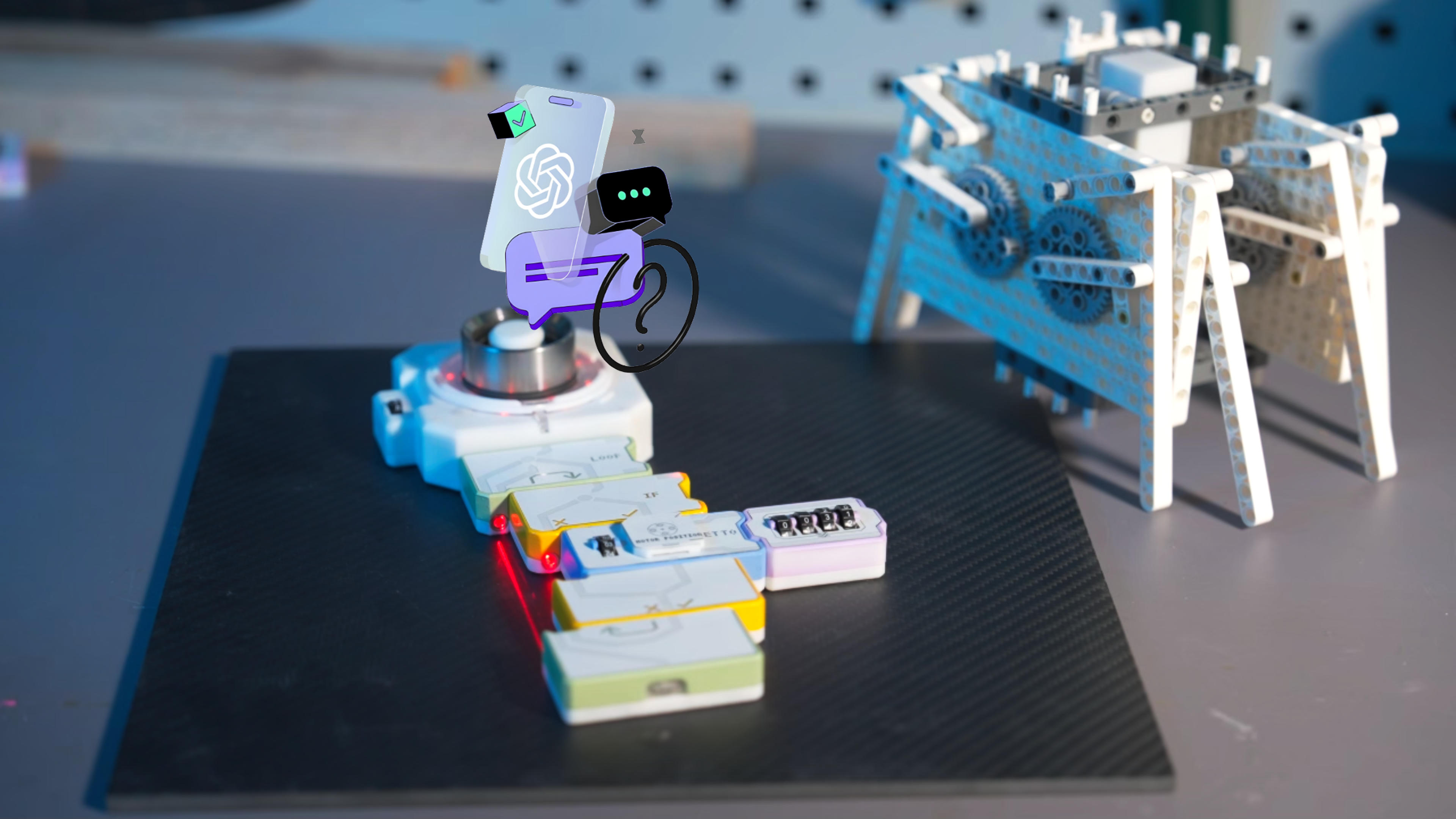
Magnetic code blocks, a light trail that pinpoints errors, and an optional AI tutor you can mute at any time: CodeeBot is the kind of toy that brings hands-on coding to life for me. Something my four-year-old and two-year-old can actually join in with.
In short (~30 seconds)
- What: CodeeBot on Kickstarter (Wuhan Pyoh Technology): screen-free, physical coding with magnetic blocks and an optional ChatGPT-powered tutor.
- For whom: Parents looking for screen-free coding. In our house, my four-year-old will tackle the logic while my two-year-old will love snapping blocks together and hitting start.
- Status: VIP reservation plus Explorer Kit backed ($399 Super Early Bird); hardware hasn’t arrived yet.
I put down two dollars for VIP discount and then went for the Explorer Kit on Kickstarter. The box is not in our play corner yet; I’ve been diving into the campaign page, guidebook, and backer Discord.
What CodeeBot promises
CodeeBot is not an iPad app. You click magnetic blocks together: loop, if, output, sensors, and more. The start block runs the program; a control block drives motors, lights, and buttons through pins or a cable.
The fresh part is debugging. When your program is correct, a light trail runs through your stack as if current is flowing through your code. When something is wrong (loop not closed, wrong chip on the output, bad contact), the trail flashes red and stops exactly at the block that failed.
The marketing positions CodeeBot as more than a robot kit. The campaign and media kit also show real household builds: smart lights, automatic curtains, pet feeders, card shufflers, and mechanical grippers, alongside the robot dog and simpler starter designs in the kit.
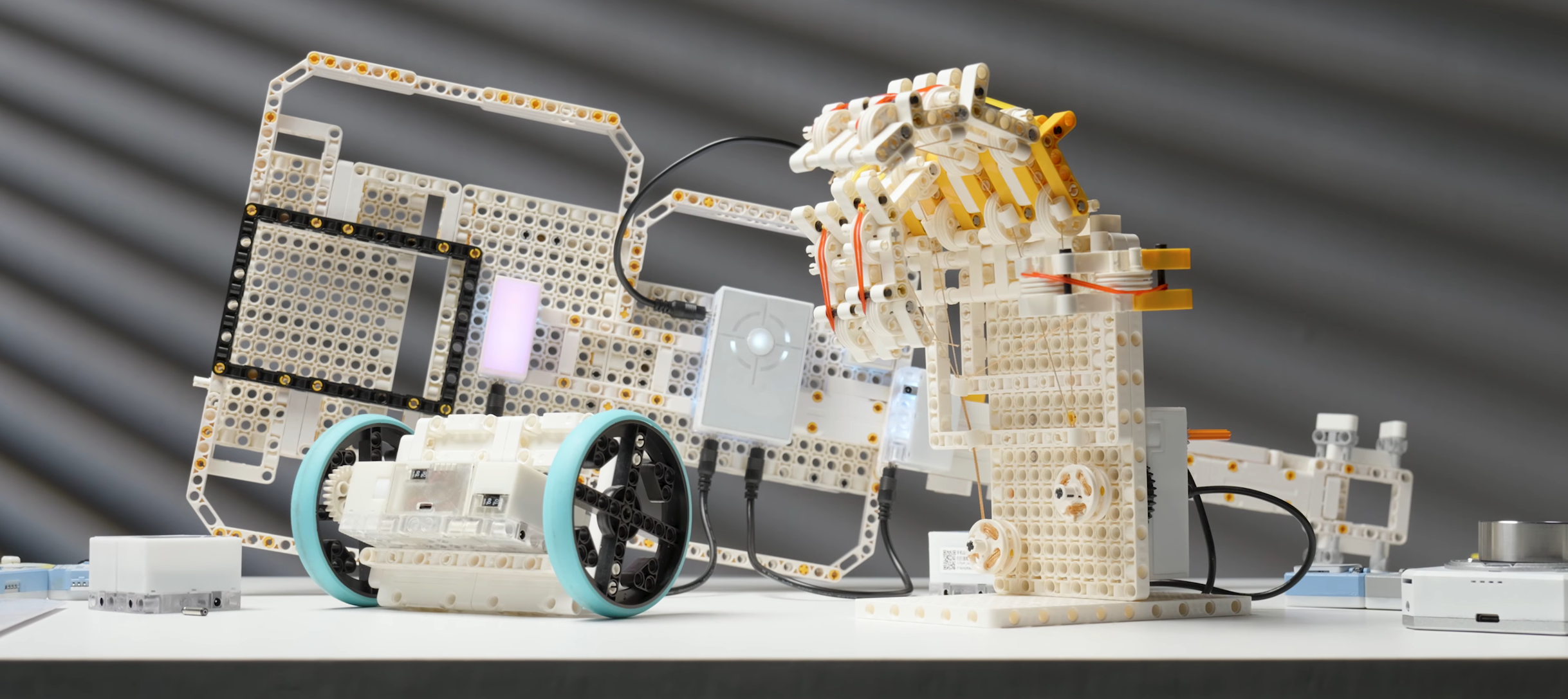
The site calls it an AI-powered coding lab for ages four to twelve (up to eighteen with the largest kit). That sounds heavy. In practice it looks like a physical robotics set with LEGO Technic pins, expandable motors and sensors, plus a tutor you can turn on when you get stuck. No screen while you build; wifi is required (2.4 GHz only, according to the guidebook) for first-time setup and for the AI layer if you enable it.
I have watched coding toys and robot kits for years, even before I had children, because I love the idea of bringing this home. I have looked at the Bee-Bot many times: a floor robot where you press buttons for forward, left, and right. Fun for a quick session, but the product page never convinced me to buy. Cubetto and similar wooden sets go further, but often target younger children. CodeeBot adds loops, sensors, LED debugging per block, and optional AI help. Not a budget pick if you mainly want a colourful floor robot; interesting if your child wants to build programs and see mistakes clearly. Cubetto and CodeeBot sit in the pricier segment; Bee-Bot and similar floor robots cost much less.
Why that light trail appeals to me
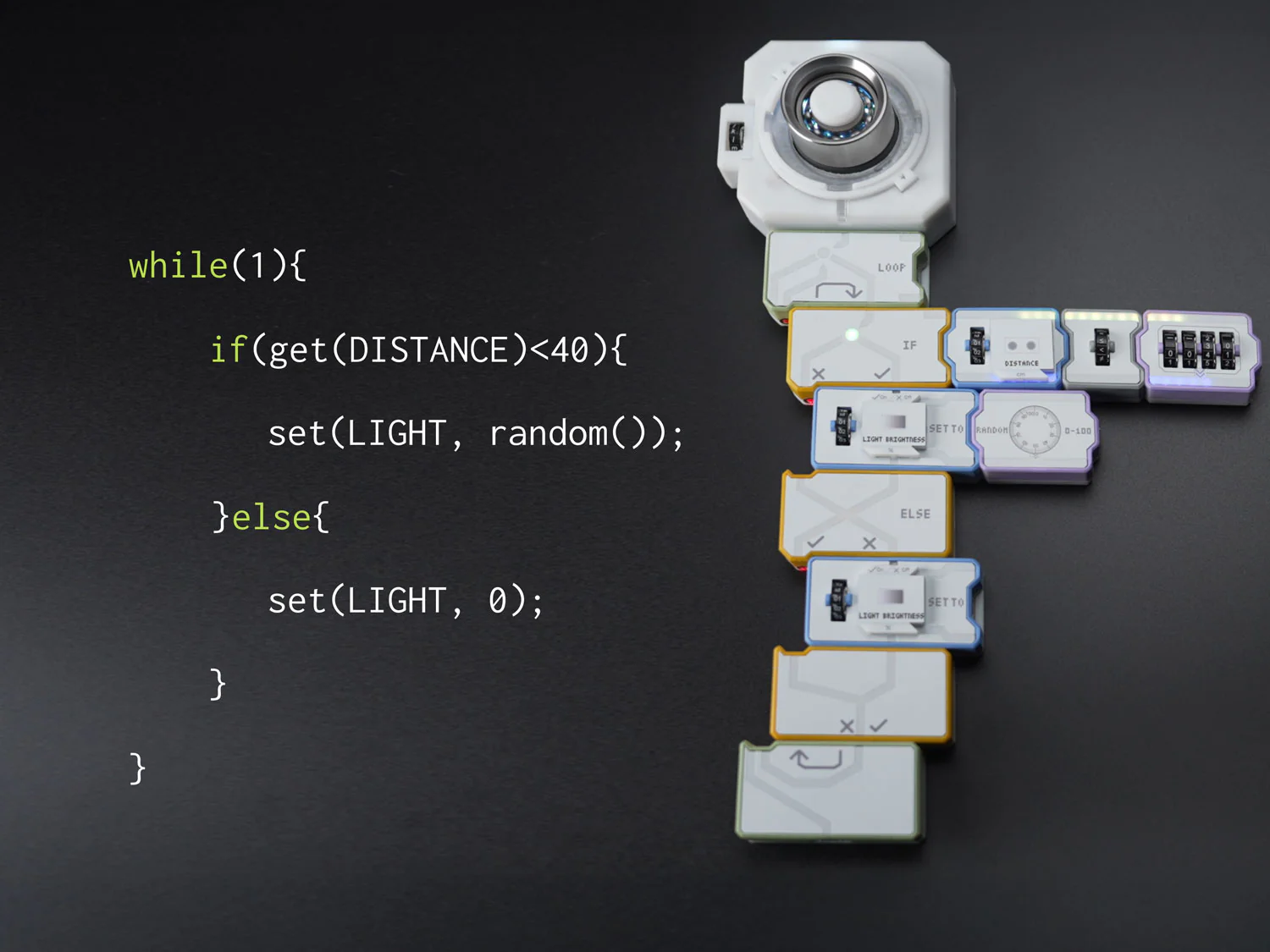
At home I want mechanisms you can see. With CodeeBot you spot trouble on the blocks themselves: red light, or a light trail that does not run through your whole program.
The maker also mentions program backtracking in the media kit: the system can rewind execution and show visually where logic diverged. You see which branch or step the program took. That fits the light trail idea: debugging as something you watch move, not an abstract error code.
That is whiteboxing as a toy. My four-year-old can build the program stack and explain what should happen; my two-year-old can press start and slide a few LEGO parts into place. He does not need to grasp if-logic yet; he does notice that something moves when he presses start and that the lights say whether things are right or wrong. In a one-on-one session with me I will let the youngest shove all the blocks together and treat it as free play. Before I know it he will be ready to build his first programs too.
Privacy and the AI tutor
According to Kickstarter the AI tutor runs on ChatGPT, free and without a subscription. Dutch is supported, which helps at our house since the physical blocks use English labels (If, Loop, Output).
The tutor knows your code, how your robot is wired, earlier mistakes, and your learning path. It can talk to the compiler to guide you further. That enables personal explanations; from a privacy angle it also means a growing dossier, not a single one-off question.
This is not a talking plush in the bedroom, as there are clear boundaries:
- The microphone is not always listening. According to the guidebook, the AI tutor only activates when you hold down the start button. It is not eavesdropping in your living room by default.
- Works offline. Only the AI tutor needs internet. The core coding logic runs on the board itself.
- Data goes to the cloud. Voice inputs and context (your code setup) go to ChatGPT. My plan is to test a one-way setup: the tutor talks to us, but we do not talk back. Sending context is acceptable to me if that is the trade-off.
Without the tutor, CodeeBot is mostly a construction toy with physical logic. With the tutor on, it sits in the cloud-LLM toy category. There is still very little information about accounts and data retention. For now I gave CodeeBot a cautious livingroom OK in the bedroom check; that may change once a privacy policy is published.
Marketing hints at open hardware (ESP32-style architecture). That makes CodeeBot interesting for tech parents who might experiment locally someday, if the maker actually opens APIs or firmware. Not a promise from the maker today; something to watch after delivery.
Kickstarter and what is still open
CodeeBot comes from Wuhan Pyoh Technology Co. The company points to MiraclePlus funding (formerly YC China), a team with Tesla and Xiaomi backgrounds, school pilots in China, and fourteen patents. That is not an anonymous gadget startup, but crowdfunding risk remains: delivery dates slip and features can change. The maker says the AI tutor stays free. Bankruptcy, long-term support, and policy changes still worry me.
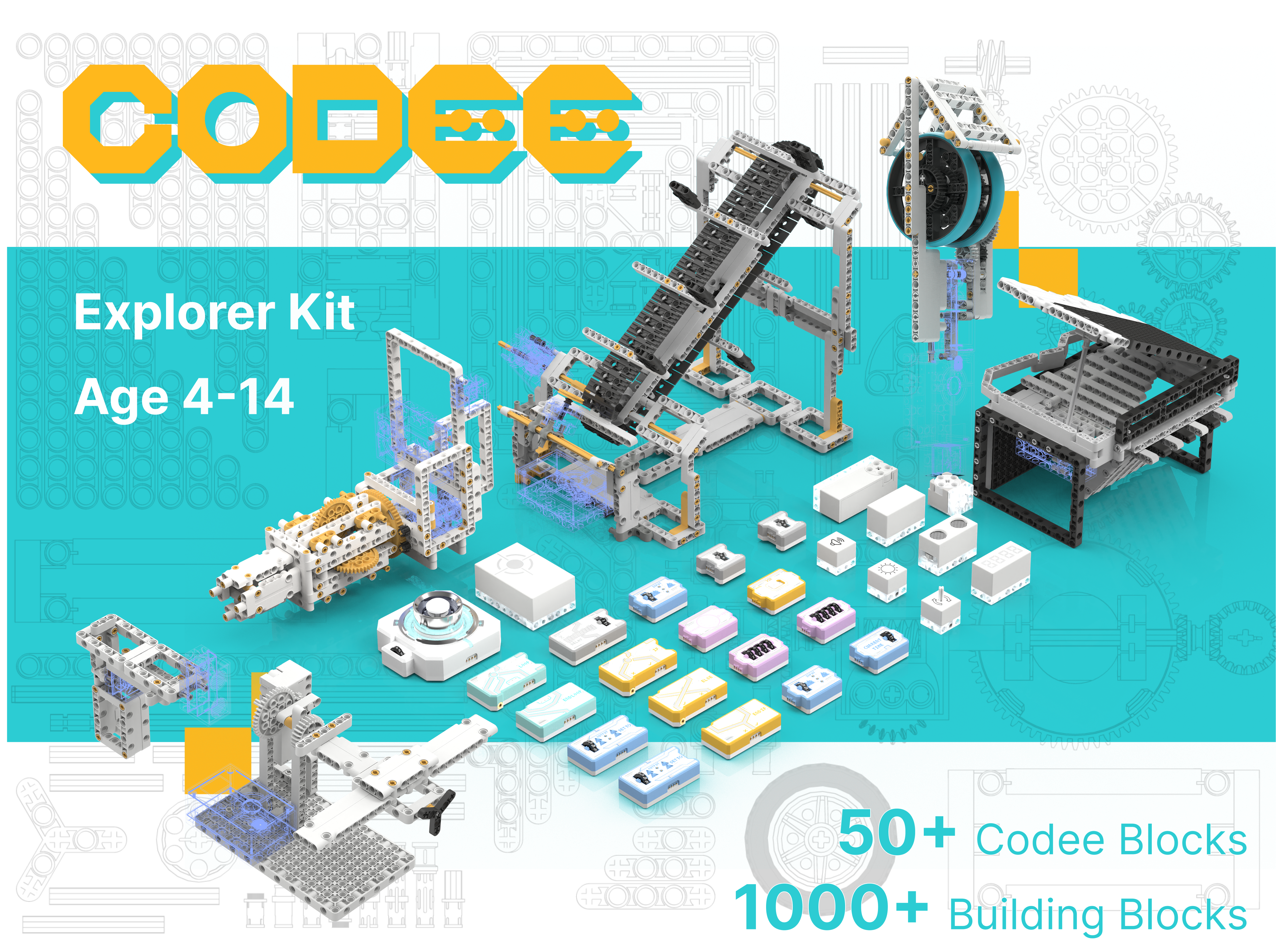
I went for the Explorer Kit ($399 Super Early Bird minus $20 VIP discount). Not only because twenty starter projects ship in the box (Inspiration twelve, Inventor twenty-six, Smart Home thirty-two), but mainly because this tier adds code blocks Inspiration lacks: Wait, If, End If, Else, Boolean, and Current Time. That unlocks real if/else and time logic; a better fit for what I hope to explore with my children over the next few years.
Those counts are starter projects in the box, not a ceiling on what you can build. Kickstarter says you can keep building without limit and that new designs arrive weekly with possible community contributions.
Super Early Bird prices on Kickstarter (July 2026):
| Kit | Starter projects in the box | Super Early Bird |
|---|---|---|
| Inspiration Kit | 12 | $299 |
| Explorer Kit | 20 | $399 |
| Inventor Kit | 26 | $549 |
| Smart Home Kit | 32 | $799 |
Backers also get a free Dancing Flower bonus according to the campaign. Kits ship in batches in September and October-November; all kits are expected to be delivered by December 2026 at the latest. Shipping, VAT, and any customs costs to the EU are only clear at checkout or on delivery.
Frequently asked questions
Which kit should you pick? Inspiration ($299) is the entry tier; Explorer ($399) adds if/else and time blocks Inspiration lacks. Higher tiers (Inventor, Smart Home) add more starter projects and hardware. All kits let you keep building beyond the included designs.
What if the maker shuts down? Physical programming logic should keep working offline; the AI tutor would stop. By then there might be a way to link your own AI subscription or Edge AI model; that is speculation today.
What about shipping and VAT? Kickstarter charges at checkout. What you pay for shipping, VAT, or customs to the EU is only fixed then.
Back it or wait?
- Crowdfunding risks: Can you afford to part with the money if delivery is delayed by six months? Or would you rather wait for retail with warranty?
- Investment: This is a serious spend for kids’ toys. Only back if you expect years of use with your child. Still, separate robot kits at Christmas also add up fast.
- Home setup: Do you have stable 2.4 GHz wifi in the play corner?
What I want to test when the box arrives
Once it lands I mainly want to see how my two-year-old and four-year-old discover it together: can they take on different roles, or do they each want solo time with me? In my dream scene the older child builds the program stack, they take turns placing LEGO parts, and they swap who gets the on/off button. I suspect the starter projects with flashing lights and spinning flowers will already draw them in.
On the technical side I want to watch how the tutor uses the learning path and how one-way mode feels in practice. Is listening without talking back enough for real learning, and does backtracking work as clearly as the demo videos suggest?
I’m looking forward to dark December afternoons around the table, curious to see what clever builds my kids will invent, whether by design or by happy accident.
Related articles
More articles on a similar topic.
Comments (0)
No comments yet. Be the first!
Leave a comment
Comments are moderated before they appear.